
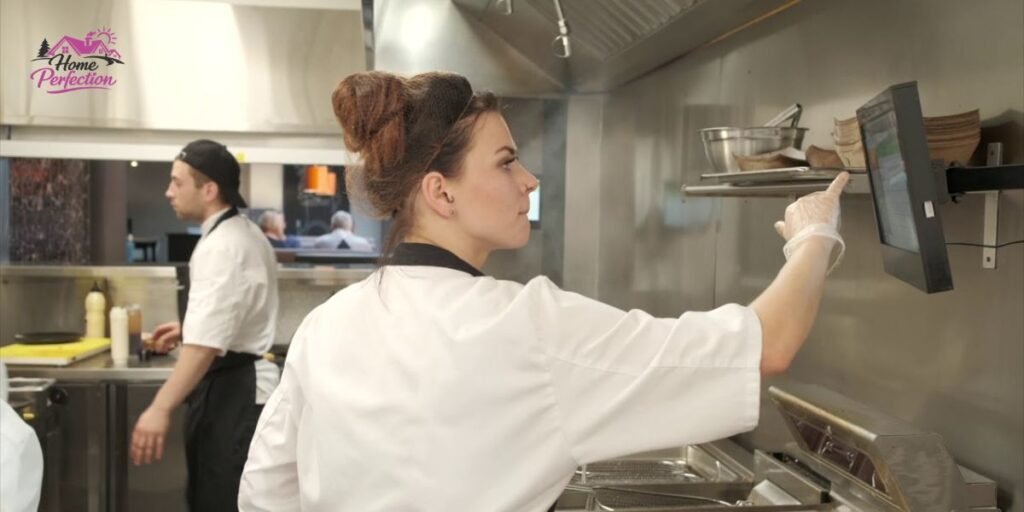
During peak holiday rushes, Mother’s Day brunches, or frantic Friday dinner hours, commercial restaurant kitchens hit maximum capacity almost instantly. As packed dining rooms flood point-of-sale terminals with incoming modifications, traditional thermal paper systems buckle under pressure. Yards of cheap thermal paper snake across stainless steel counters, quickly creating a chaotic paper-trail bottleneck that routinely ruins service speed.
Industry data from hospitality technology analysts indicates that nearly 68% of independent restaurants still relying heavily on legacy paper tickets suffer from preventable order delays and excessive food waste during high-volume shifts. When printers jam, tickets slide off magnetic rails, or handwritten modifications become entirely illegible under fluorescent prep lights, back-of-house communication grinds to a sudden halt.
Fortunately, top-performing culinary operations have permanently moved past these archaic paper hurdles by deploying a Kitchen Display System (KDS). Acting as the digital nervous system of a modern commercial kitchen, a KDS instantly eliminates paper clutter by replacing slips with intelligent, color-coded touchscreens.
This comprehensive guide breaks down how a KDS revolutionizes front-of-house and back-of-house synchronization, optimizes order routing from the point of sale to the pass, and delivers measurable operational excellence for modern restaurant owners.
What Is a Kitchen Display System (KDS)?
At its foundational level, a Kitchen Display System is an integrated combination of commercial-grade touchscreen hardware and cloud-connected software designed to completely replace paper tickets and thermal printers in professional food service environments. The primary purpose of a KDS is to collect, organize, time, and intelligently route incoming food and beverage orders from various customer-facing channels directly to specific prep station monitors across the kitchen line.
Many industry beginners mistakenly view a KDS as nothing more than a glorified computer monitor hanging above a grill. In actual practice, enterprise-grade kitchen display platforms function as sophisticated operational hubs equipped with complex routing algorithms, real-time ticket timers, item-level completion tracking, and granular analytics engines.
Modern restaurant architectures rely on native KDS support because traditional standalone Point of Sale (POS) software can no longer handle the extreme velocity of hybrid dining models. Whether processing dine-in tabs, drive-thru lanes, mobile apps, or third-party delivery requests simultaneously, the system sits at the absolute center of back-of-house execution.
It dictates how line cooks sequence their prep tasks, when expediters call for plate service, and how fast tables turn over during high-stress operational hours.
How a Kitchen Display System Moves Orders from the POS to the Pass
The operational journey of a guest order begins the exact moment a transaction is finalized on the floor, traversing a complex digital pathway before reaching the dining table.
When a guest places an order—whether through a server’s handheld tablet, a tabletop QR code, a self-service kiosk, or a mobile delivery application—the data hits the central point-of-sale software. Within milliseconds, the POS validates the payment, updates real-time inventory counts, and transmits the complete order package securely to the Kitchen Display System server via local network protocols or cloud Application Programming Interfaces (APIs).
Once the data packet hits the KDS routing engine, sophisticated station filtering rules analyze each line item. The software instantly strips away irrelevant data and displays only the specific components required at designated prep stations, sending proteins to the grill monitor while dispatching appetizers to the fry station.
Line cooks view these clean, color-coded item tickets on ruggedized touchscreens, managing cook times according to pre-programmed recipe parameters and explicit modifier instructions. As individual stations complete their assigned items, line cooks tap physical bump bars or screen icons to signal completion, updating the master overview screen in real time.
The expediting chef or lead kitchen manager uses this master pass screen to review the entire table order, ensuring structural quality control before calling food runners or delivery drivers to pick up the completed dishes. Finally, the food arrives hot and accurate at the guest’s table or takeout bag, completing a seamless, lightning-fast operational loop.
Where a Kitchen Display System Fits Inside Restaurant Operations
A Kitchen Display System operates as the critical bridge connecting diverse customer-facing sales channels to the physical kitchen line.
When integrated with a robust POS platform, the screen instantly registers orders from traditional server terminals and mobile payment devices. Modern hospitality venues also rely on online ordering platforms, QR table ordering, and self-service kiosks to drive revenue.
All of these digital intake channels feed directly into the KDS, preventing the kitchen from being overwhelmed by fragmented ordering streams. Delivery apps like DoorDash and Uber Eats integrate directly into the display grid, allowing expediters to manage third-party orders alongside dine-in tickets without manual data entry.
On the backend, the system connects with inventory management software to track depletions in real time as items are prepared. While legacy kitchens still rely on kitchen printers as backups, forward-thinking operators use customer-facing display screens and automated order-ready notifications to keep waiting patrons informed without crowding the pickup counter.
Why Restaurants Are Replacing Paper Tickets
Transitioning away from thermal paper tickets is no longer just an aesthetic upgrade for modern restaurants; it is an absolute operational necessity driven by the severe limitations of legacy workflows.
The following reasons outline why successful hospitality brands are permanently replacing paper tickets with digital kitchen displays:
- Lost Tickets: Paper slips easily slide off stainless steel rails, get trapped under cutting boards, or vanish beneath liquid spills during a chaotic Friday night rush.
- Duplicate Tickets: When servers experience system lag or confusion during peak hours, they often reprint tickets manually, leading to duplicate food preparation and wasted ingredients.
- Handwriting Errors: Illegible handwriting from rushed servers leads to severe guest dissatisfaction, miscommunication on the line, and costly food remakes.
- Missed Modifiers: Dietary restrictions and complex customer alterations blend into an unreadable block of text on paper, drastically increasing allergy risks and safety hazards.
- Slow Communication: Walking physical paper tickets back to the kitchen line wastes critical seconds and creates unnecessary traffic bottlenecks in prep areas.
- Delivery Order Complexity: Managing high volumes of digital delivery tablets alongside dine-in paper tickets creates extreme operational friction and confusion for line cooks.
- Multi-Station Coordination: Trying to time appetizers, entrees, and desserts across different kitchen stations using paper strips requires constant verbal shouting and guesswork.
What Information Appears on a Kitchen Display Screen?
A well-configured, smart kitchen display screen strips away the ambiguity of paper tickets, presenting line cooks with hyper-organized, actionable data designed for high-stress environments. At the very top of each digital ticket, a prominent order number appears alongside an elapsed ticket timer that dynamically shifts from green to yellow and red as prep times stretch.
For full-service dining rooms, the screen displays the specific table number and seat assignment, allowing food runners to drop plates directly without auctioning off meals. In high-end dining or fast-casual concepts, the customer’s name or order pickup identifier appears to maintain a personalized touch.
Menu items are laid out in clean typography, accompanied by explicit, bolded modifiers that highlight alterations like extra crispy, no onions, or cheese on the side. Critical allergy alerts flash on the screen with high-visibility warning symbols and contrasting color blocks to protect guests with severe food sensitivities.
Advanced timing features display fire timing, hold requests, and strict course sequencing to ensure hot entrées do not drop while guests are still finishing appetizers. The interface also clearly labels the pickup or delivery channel, distinguishing standard dine-in tabs from takeout packaging or third-party courier pickups.
Finally, strict station assignment filters ensure cooks only view the exact items relevant to their specific prep area, eliminating visual clutter.
How Different Kitchen Stations Use a KDS
Kitchen display software allows operators to tailor specific screen views and routing rules to the unique demands of each specialized prep station across the culinary line.
- Grill Station: Focuses heavily on protein temperatures, sear times, and heavy-duty mains, utilizing smart routing to hold drop times so steaks finish precisely alongside delicate side dishes.
- Fry Station: Manages high-volume appetizers and fried items, using multi-item countdown timers to prevent overcooking and maintain crispy textures during heavy rushes.
- Pizza Station: Organizes custom toppings, crust styles, and bake times, tracking multiple pies across deck or conveyor ovens simultaneously with staggered course pacing.
- Salad Station: Manages cold assembly, dressing pairings, and rapid-fire plating for fresh, high-turnover menu items that require minimal cooking time.
- Dessert Station: Coordinates post-meal sweet courses, ensuring desserts are fired at the exact moment savory plates are cleared from dining tables.
- Beverage Station: Displays drink orders for bar staff or support teams, keeping liquid refreshment synchronized with food delivery schedules.
- Expo Station: Operates the master overview screen, consolidating station statuses, checking quality control, and calling complete tables for prompt floor service.
The Different Types of Kitchen Display Systems
Selecting the right hardware and software architecture depends entirely on a restaurant’s operational scale, concept model, and budget. Modern hospitality brands deploy several distinct variants of kitchen display platforms, each offering unique operational trade-offs and structural benefits.
Integrated POS KDS
An integrated point-of-sale kitchen display system comes bundled directly from a single software vendor such as Toast or Square. The primary advantage of this setup is seamless hardware synchronization and zero third-party middleware conflicts. However, restaurant operators often face strict vendor lock-in and limited customization options for advanced routing rules.
Cloud-Based KDS
A cloud-based system relies on remote servers accessed via local internet connections. This model is exceptional for multi-unit operators because managers can monitor ticket times, throughput metrics, and station bottlenecks remotely from a smartphone. The major limitation is dependency on internet uptime; an outage can disrupt real-time communication unless offline fallback protocols are active.
On-Premise KDS
An on-premise system utilizes an in-house server rack installed directly within the restaurant building. It provides lightning-fast local network routing and operates independently of external internet service disruptions. The primary drawback is high upfront hardware costs and the need for dedicated IT maintenance support.
Tablet-Based KDS
A tablet-based platform leverages commercial hardware like iPads or ruggedized Android tablets mounted at prep stations. It offers incredible installation flexibility, low entry costs, and easy replacement when a screen breaks. However, consumer-grade tablets can overheat under continuous commercial kitchen temperatures and may lack the physical durability required for heavy-duty environments.
Enterprise Multi-Location KDS
An enterprise multi-location system is engineered for large franchise networks and hospitality groups managing high-volume operations across different cities. It features centralized menu management, multi-zone routing, and enterprise-grade data reporting. The limitation is a steep learning curve and expensive, lengthy implementation timelines.
The Features That Matter Most in a Modern Kitchen Display System
To maximize operational throughput, a high-performance KDS must include advanced software capabilities tailored to the chaos of a working kitchen.
- Smart Routing: Automatically separates menu items and directs them to appropriate station screens based on prep category and cook times.
- Station Filtering: Restricts line-cook screens to display only relevant items, preventing visual overload and confusion during high-volume rushes.
- Auto Bump: Programmed to automatically remove completed items from a screen once a designated timer expires or an external trigger fires.
- Recall Tickets: Allows expediters or cooks to instantly restore a previously bumped ticket if a plate is dropped or needs a remake.
- Kitchen Messaging: Enables two-way communication between the kitchen and floor staff, allowing cooks to send text alerts to server handhelds when an order is delayed.
- Modifier Management: Highlights vital modifications in high-contrast colors, ensuring dietary and allergy adjustments stand out instantly.
- Allergy Highlighting: Flashes distinct warning indicators for severe food allergies to protect guest health and safety.
- Timers and Color Coding: Utilizes dynamic color transitions (green to yellow to red) based on elapsed preparation times to maintain pace.
- Offline Operation: Maintains local network order routing even if the external internet connection drops unexpectedly during a shift.
- Analytics and Reporting: Tracks labor metrics, station bottlenecks, and average ticket times to help operators optimize scheduling.
- Multi-Language Support: Automatically translates order tickets into different languages to accommodate diverse back-of-house kitchen staffs.
- Multi-Location Synchronization: Syncs operational data across multiple franchise locations, giving corporate managers real-time visibility into kitchen efficiency.
Kitchen Display System vs. Paper Tickets
| Operational Factor | Kitchen Display System (KDS) | Traditional Paper Tickets |
| Legibility | High-contrast digital typography eliminates handwriting errors. | Prone to smudging, ink fading, and illegible handwriting. |
| Durability | Ruggedized touchscreens withstand grease, heat, and moisture. | Paper slips rip, get lost, or slide off magnetic rails easily. |
| Order Tracking | Real-time dynamic timers and color-coded status tracking. | Static text with no automated elapsed time indicators. |
| Environmental Impact | Zero paper waste, supporting sustainable restaurant practices. | Consumes massive rolls of thermal paper daily, driving up costs. |
| Data Collection | Captures granular metrics on prep times, bottlenecks, and speed. | Provides zero historical data for operational analysis. |
Kitchen Display System vs. Kitchen Printers
| Operational Factor | Kitchen Display System (KDS) | Kitchen Printers |
| Speed & Latency | Instant digital data transmission over local networks or cloud APIs. | Mechanical printing lag can delay ticket generation during rushes. |
| Flexibility | Allows ticket reordering, item bumping, and recall functions. | Once printed, paper cannot be modified, recalled, or dynamically updated. |
| Maintenance | Requires screen cleaning and periodic software updates. | Prone to paper jams, ribbon replacements, and mechanical breakdowns. |
| Waste Management | Generates zero physical waste during continuous service. | Creates piles of discarded paper that litter prep stations and floors. |
| Space Utilization | Mounted cleanly on walls or equipment stands, saving counter space. | Requires physical workspace for printers, paper rolls, and ticket rails. |
Kitchen Display System vs. POS Software vs. Kitchen Printers
Understanding the boundaries between back-of-house technologies prevents operational confusion during system implementation.
The Point of Sale (POS) serves as the central financial and ordering brain of the business. It captures customer data, processes payments, manages inventory counts, and handles front-end guest checkouts. It does not display kitchen prep instructions to line cooks.
The Kitchen Display System (KDS) acts as the back-of-house execution engine. It takes the order data transmitted by the POS, organizes it through routing logic, and presents it visually on touchscreens for line cooks and expediters to manage.
The Kitchen Printer is a legacy mechanical output device. It physically prints thermal paper tickets sent directly from the POS terminal. While some kitchens still use printers as emergency physical backups, they lack the data analytics, timing intelligence, and dynamic routing power of a digital KDS.
Which Restaurants Benefit Most from a Kitchen Display System?
While nearly any food service operation can improve efficiency with digital displays, specific formats see dramatic returns on investment.
Quick-Service Restaurants (QSR) and fast-casual concepts rely on a KDS to process high volumes of drive-thru and counter orders at extreme velocity. Full-service dining rooms utilize course sequencing and table-seat tracking to synchronize multi-course meals.
Pizza restaurants benefit from specialized grid views that track custom toppings and bake times across multiple deck ovens. Cafés, bakeries, and ghost kitchens leverage multi-channel aggregation to merge third-party delivery apps with walk-in counter demand seamlessly.
Hotels, catering companies, and multi-location franchise brands require enterprise-level synchronization to manage massive banquet operations and standardize kitchen execution across regional properties.
How a Kitchen Display System Improves Restaurant Performance
Implementing a KDS drives measurable improvements across critical operational Key Performance Indicators (KPIs).
By eliminating the physical transit time of walking paper tickets back to the kitchen, average ticket times drop by 15% to 30%. Digital item filtering and bold modifier text drastically reduce order entry errors, improving order accuracy and virtually eliminating costly remakes.
Kitchen throughput increases because line cooks can view complex orders simultaneously without sorting through tangled paper strips. Labor efficiency improves as cooks self-manage prep timing using color-coded alerts, reducing the need for constant verbal coordination from floor managers.
Faster ticket times directly accelerate table turnover rates, allowing full-service restaurants to seat more covers during peak dinner shifts. Minimizing incorrect food preparation drastically cuts down food waste, protecting profit margins on expensive proteins.
Finally, consistent preparation pacing ensures predictable on-time delivery for third-party courier drivers, protecting customer ratings on apps like DoorDash and Uber Eats.
Measuring the Return on Investment (ROI) of a Kitchen Display System
Calculating the financial return of a KDS requires looking beyond upfront hardware expenses to analyze long-term operational savings.
Operators achieve immediate labor savings by streamlining kitchen communication, allowing fewer staff members to manage higher ticket volumes smoothly. Reducing remakes and kitchen errors translates directly into reduced food waste, saving thousands of dollars annually in wasted ingredients.
Eliminating thermal paper rolls drastically lowers ongoing paper costs, especially for high-volume concepts that previously burned through dozens of rolls per shift. Faster ticket times accelerate table turns, driving up overall revenue during peak operating windows.
Improved food accuracy and speed boost customer retention, turning first-time guests into loyal patrons. Most importantly, built-in analytics dashboards provide actionable data that empower management teams to make data-driven staffing and menu design decisions.
Common Challenges When Implementing a Kitchen Display System
Transitioning a kitchen from legacy paper tickets to digital screens introduces distinct human and technical hurdles that require proactive management.
- Staff Adoption: Veteran line cooks accustomed to physical paper slips often resist touching screens during a rush. Solution: Conduct thorough pre-launch training sessions and gamify the transition by highlighting speed improvements.
- Workflow Redesign: Simply hanging screens without adjusting physical kitchen layout causes bottlenecks. Solution: Reconfigure prep station layouts so screens align naturally with physical cooking equipment.
- Network Issues: Cloud-based systems can fail if Wi-Fi signals drop behind thick commercial kitchen walls. Solution: Install commercial-grade mesh routers and deploy hardwired Ethernet connections for all display terminals.
- POS Compatibility: Mismatched software versions between legacy terminals and new displays can cause data syncing errors. Solution: Partner with unified ecosystem providers like Toast or Square to ensure native software integration.
- Screen Placement: Poor physical mounting leads to glare, heat damage, or blind spots for cooks. Solution: Use adjustable, heat-resistant VESA mounts positioned at eye level away from direct grill grease and steam vents.
- Kitchen Culture: Resistance to change can disrupt team morale during the first week of deployment. Solution: Involve lead line cooks in the initial configuration and workflow design process.
How to Choose the Right Kitchen Display System
Selecting an ideal KDS requires evaluating several core criteria to ensure long-term operational alignment. Restaurant operators must assess their restaurant size and overall kitchen complexity before purchasing hardware. A single-station coffee shop has vastly different routing needs than a multi-level steakhouse running distinct grill, fry, and pantry stations.
The system must integrate seamlessly with your existing POS infrastructure to prevent data latency or broken order channels. Evaluate whether your kitchen requires cloud-based flexibility or on-premise network reliability, and determine the exact number of stations needed to cover your prep lines.
Review the vendor’s reporting capabilities to ensure you can track labor efficiency and ticket times effectively. Select commercial-grade hardware, such as water-resistant touchscreens and rugged bump bars, that can survive extreme kitchen environments.
Finally, analyze total implementation costs against your budget, verify the quality of around-the-clock vendor support, and confirm that the software architecture supports your future scalability plans as your restaurant brand grows.
Best Kitchen Display Systems for Different Restaurant Types in 2026
Evaluating kitchen display technology requires understanding how different platforms perform under real-world commercial operating conditions. Each software and hardware ecosystem is built for distinct kitchen workflows, volume thresholds, architectural limitations, and subscription pricing models.
1. Toast KDS
Built explicitly for high-volume hospitality operations, the Toast KDS offers deep native synchronization with Toast hardware ecosystems. It excels at multi-station routing, complex course pacing, and consolidating third-party delivery orders directly into the main kitchen queue without external middleware.
Restaurants running high-volume dinner rushes find that this platform minimizes ticket lag because data flows directly over local network protocols from the floor terminal to the kitchen screen. The software is heavily favored by full-service establishments and multi-unit brands that require tight table-seat tracking and precise timing indicators to keep service running smoothly.
Regarding financial commitment, Toast utilizes a modular pricing structure where base Point of Sale software plans start around $69 per month, but adding multi-station KDS functionality, hardware terminals, and online ordering packages typically pushes total monthly software and subscription costs between $150 and $300 per month, accompanied by strict multi-year processing agreements.
2. Square KDS
Designed with accessibility and simplicity in mind, the Square KDS runs smoothly on standard Android tablets and commercial touchscreens. It provides an intuitive user interface that helps smaller concepts transition away from paper tickets without overwhelming staff with complicated enterprise configurations.
Independent cafés and quick-service spots benefit from the fast out-of-the-box deployment and low upfront equipment costs. While it lacks the advanced multi-zone kitchen routing required by massive commercial lines, it delivers reliable ticket organization for operators who value speed and ease of use.
Pricewise, Square operates on a transparent device-subscription model, charging either $20 per month per device under the Square Premium plan or $30 per month per device under the Square Plus plan, making it one of the most budget-friendly options for independent food service operators.
3. Lightspeed KDS
Optimized for multi-unit scalability, the Lightspeed KDS provides robust cloud synchronization and flexible hardware deployment options. Its station filtering rules and centralized menu management empower regional operators to maintain consistent kitchen execution across multiple regional properties.
Boutique hospitality brands and upscale casual venues rely on this system to monitor performance metrics remotely. The cloud infrastructure ensures that menu updates deployed at headquarters instantly reflect across all kitchen screens without manual rebooting.
Pricing for Lightspeed restaurant and enterprise tiers generally spans from $179 to $339+ per month for core and advanced packages, though operators must factor in additional fees if they choose to bypass native payment processing integrations.
4. Revel Systems KDS
Engineered for heavy-duty commercial environments, Revel Systems KDS combines enterprise-grade data security with deep inventory tracking. Its robust offline mode ensures that local network order routing continues uninterrupted even during sudden internet dropouts.
Large franchise chains, high-volume bars, and stadium concessions choose this architecture because it handles massive transaction volumes without breaking down. The system requires dedicated IT support during initial configuration due to its complex security protocols and advanced inventory deduction syncing.
In terms of cost, the software licensing begins at $99 per month (billed annually under multi-year agreements), alongside a mandatory one-time professional onboarding and installation fee starting around $649, plus additional hardware screen expenses.
5. Clover Kitchen Display
Operating through specialized integration frameworks like Fresh KDS, the Clover Kitchen Display system turns standard commercial tablets into dynamic kitchen screens. It streamlines ticket management for businesses utilizing the Clover merchant platform without requiring expensive custom wiring.
Small-to-medium independent food service businesses appreciate the compact footprint and quick app-store installation. It provides an affordable pathway for diners and fast-casual eateries to digitize their back-of-house operations.
Subscription costs for Clover kitchen app integrations typically range from $25 to $50 per month per screen, keeping ongoing software expenses low for budget-conscious local owners.
6. Oracle Simphony KDS
Designed for industrial-scale hospitality operations, the Oracle Simphony KDS features ruggedized, fanless IP−54 rated touchscreens built to withstand intense kitchen heat, grease, and moisture. It handles massive transaction volumes and complex multi-kitchen routing effortlessly.
Hotels, resorts, cruise ships, and large-scale entertainment complexes invest in this platform because of its industrial durability and high-temperature resistance. While upfront implementation costs are extremely high, the system delivers unmatched stability for massive enterprise hospitality groups.
Pricing is customized through direct enterprise sales consultation, often totaling thousands of dollars in initial licensing, server setup, and hardware procurement.
7. TouchBistro KDS
Tailored specifically for iOS-centric operating environments, the TouchBistro KDS provides seamless integration with iPad terminals and visual table layout mapping. It helps full-service servers and kitchen cooks communicate fluidly during peak dining rushes.
Independent table-service restaurants and neighborhood bars utilize this platform to maintain familiar Apple hardware workflows. The intuitive table tracking and easy ticket management make it a natural fit for bistros and cocktail lounges.
TouchBistro core software bundles generally start around $69 to $249 per month, with additional add-on fees required to activate full kitchen display routing across multiple iPad terminals.
Questions Restaurant Owners Should Ask Before Investing in a KDS
- Will this KDS integrate natively with my current POS software without requiring expensive custom middleware?
- Can the routing software support multiple specialized kitchen stations and handle complex split-item orders?
- Does the system maintain full operational functionality and order routing offline if our internet connection drops during service?
- How does the platform handle incoming digital orders from third-party delivery apps like DoorDash and Uber Eats?
- What granular reporting metrics does the dashboard provide regarding cook times, staff efficiency, and station bottlenecks?
- Can the software architecture easily scale as my restaurant opens new locations or expands its dining footprint?
- What level of technical support, replacement hardware warranties, and staff training does the vendor provide post-installation?
Conclusion
A Kitchen Display System is much more than a digital substitute for paper tickets; it serves as the operational nervous system connecting the point of sale, kitchen prep stations, expediting pass, and service channels.
By eliminating paper bottlenecks, streamlining communication, and providing real-time data analytics, a KDS transforms chaotic rushes into predictable, high-speed service workflows.
When evaluating options, restaurant operators should prioritize workflow compatibility, robust POS integration capabilities, detailed reporting dashboards, and long-term scalability over upfront price tags to secure lasting operational success.
Frequently Asked Questions
What does KDS stand for?
KDS stands for Kitchen Display System, a digital hardware and software solution that replaces paper tickets in commercial restaurant kitchens.
Is a KDS the same as a POS?
No. The Point of Sale (POS) handles customer ordering, payment processing, and front-of-house checkouts, while the KDS manages back-of-house food preparation and station routing.
Does a KDS replace kitchen printers?
Yes, in modern high-efficiency kitchens, a KDS completely eliminates the need for thermal paper printers, though some legacy venues keep printers as emergency backups.
Can small restaurants benefit from a KDS?
Absolutely. Small cafés, food trucks, and local diners use tablet-based KDS solutions to speed up service, reduce food waste, and eliminate order errors.
Does a KDS work without the internet?
Many modern cloud-based systems include hybrid local-network fallback modes that keep the kitchen running smoothly even during sudden internet outages.
How much does a KDS cost?
Pricing varies widely based on hardware requirements and software licensing, typically ranging from affordable monthly software subscriptions for tablets to thousands of dollars for enterprise multi-station setups.
How long does implementation take?
Basic tablet setups can be deployed in a single afternoon, while complex multi-station enterprise integrations across large restaurant groups can take several weeks of testing.
Can a KDS integrate with Uber Eats and DoorDash?
Yes. Modern kitchen display platforms aggregate online delivery orders directly into the main kitchen screen alongside dine-in tickets, preventing missed orders.